Free
$0/ month
Build your app and run it on a free krva.cc address. 5 build credits a month, no card.
For landlords
Tenants report a repair with photos from their phone, you assign a contractor, everyone follows the status, and every unit keeps its repair history. Describe how you run your buildings, and Kreova builds the app around it.
The example on this page is Birchway Rentals, a made-up landlord with 3 apartment buildings and 18 units. Its app was built on Kreova on October 29, 2026 from the prompt further down this page. Every tenant, contractor, unit and repair in the pictures is sample data.
Every repair takes the same path: the tenant reports it, you send someone, the work gets done and you close it. Kreova builds that path as one app, and each person sees only their own part of it.
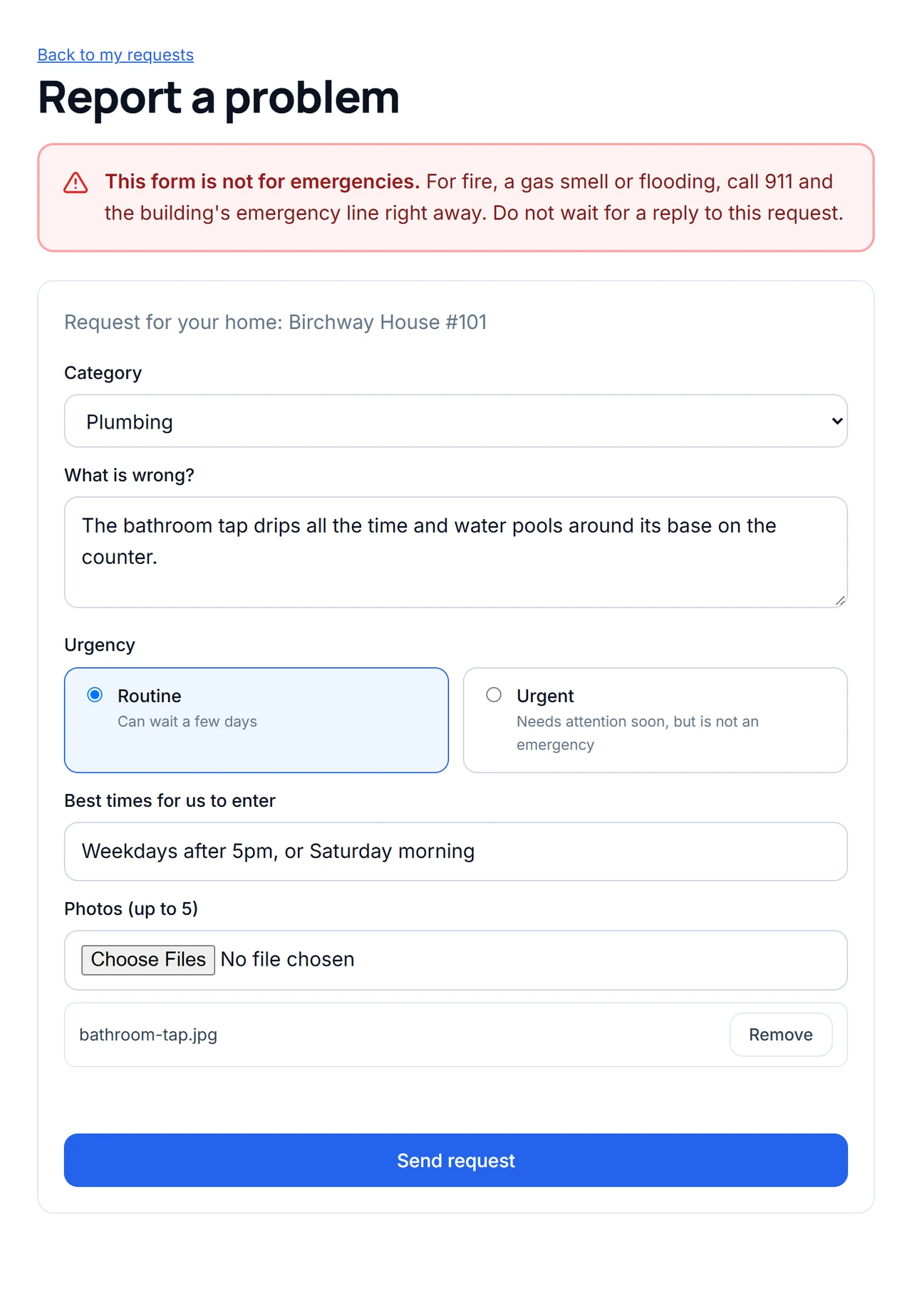
Each tenant signs in and reports a problem for their own unit: the category, what is wrong, how urgent it is, the best times to enter and up to five photos from their phone. The request gets a number, and the form says clearly that it is not for emergencies.
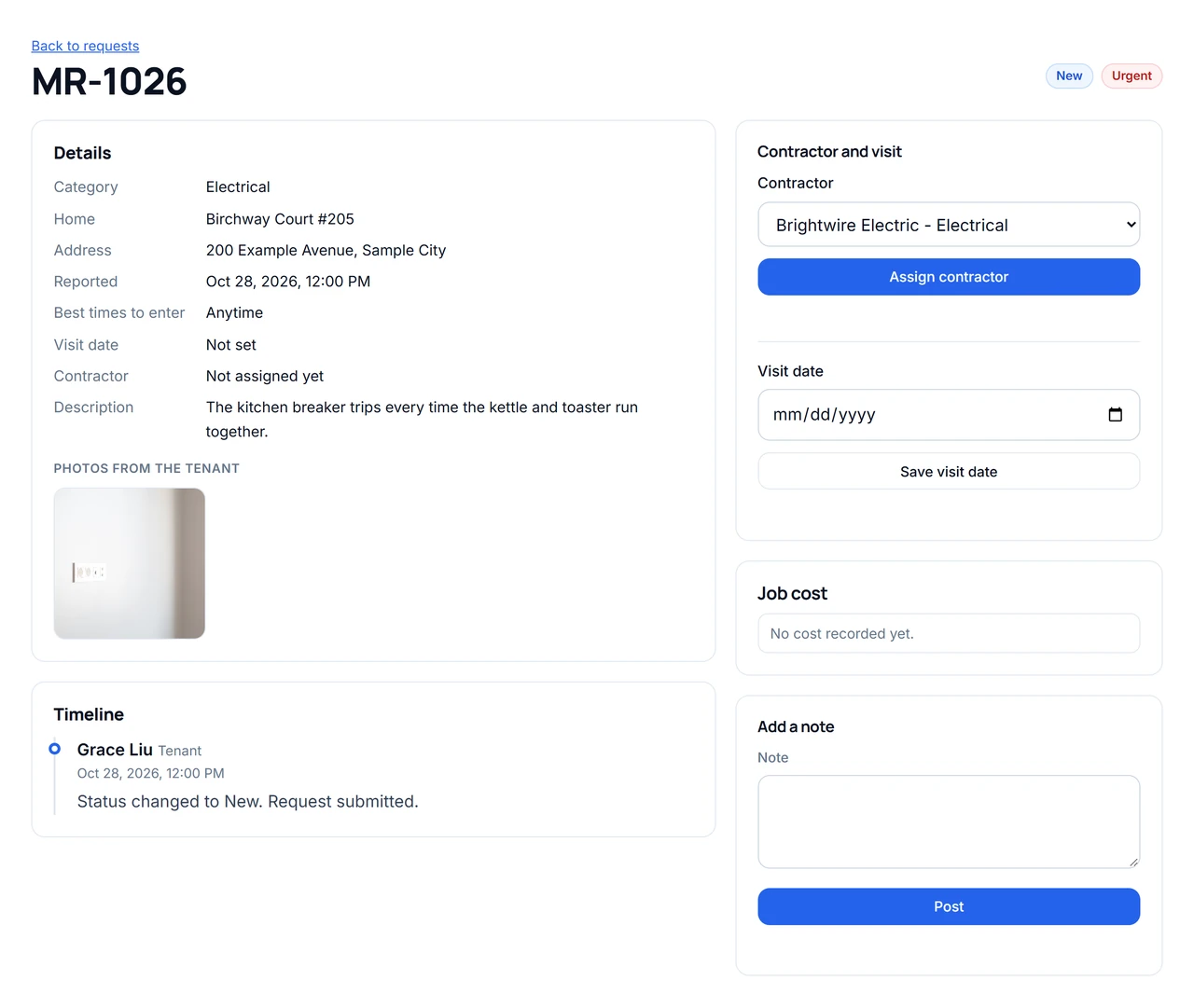
You see the request with the tenant's photos, unit, address and entry times. Pick a contractor and set the visit date, and both go on the request's timeline with who did it and when.
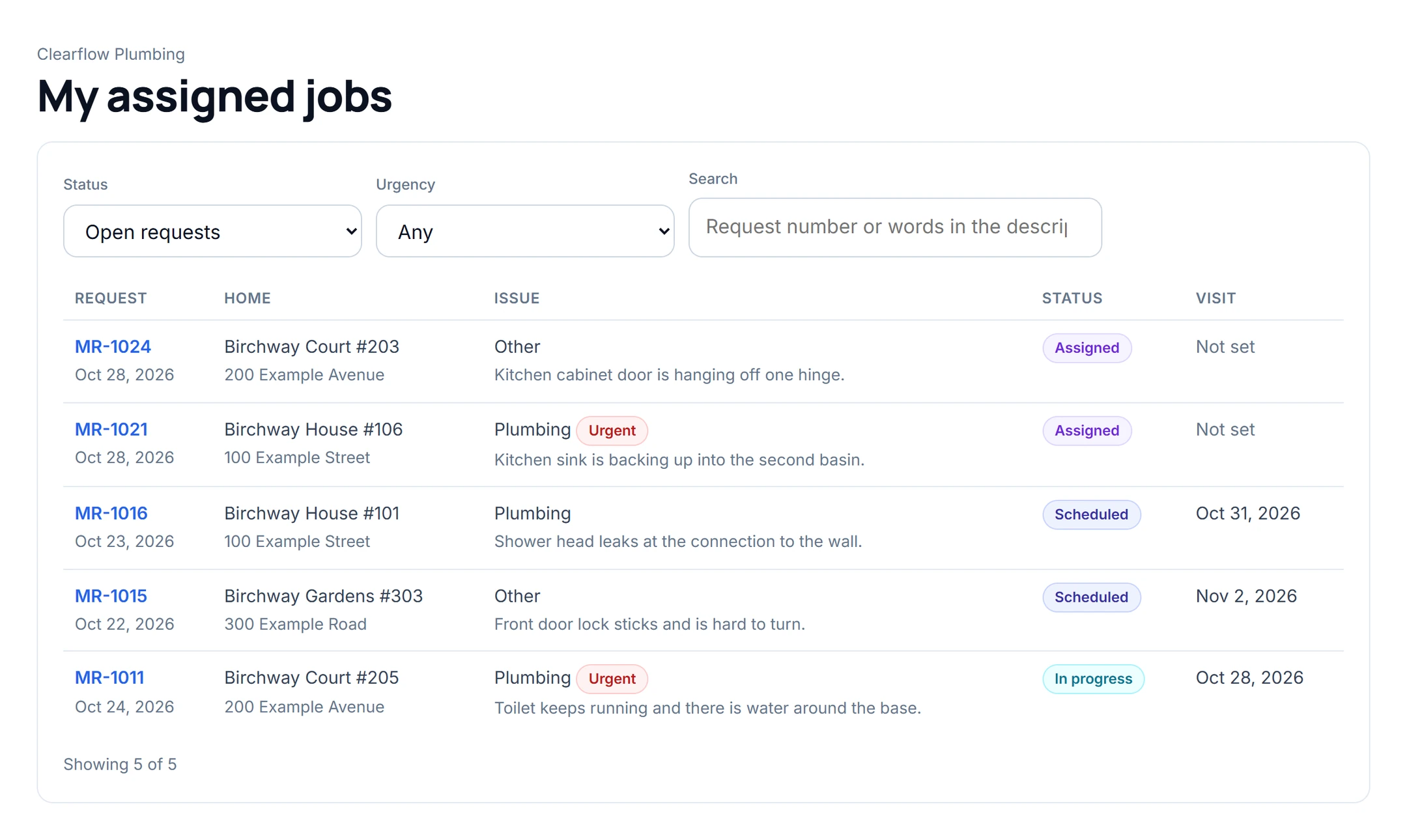
Each contractor signs in to a list of the jobs assigned to them, and nothing else. On a job they mark it scheduled, in progress and completed, add notes and completion photos, and record what the job cost.
The tenant sees each step on the timeline as it happens, with the contractor's name and notes, and can add a comment. Costs never show on the tenant's side.
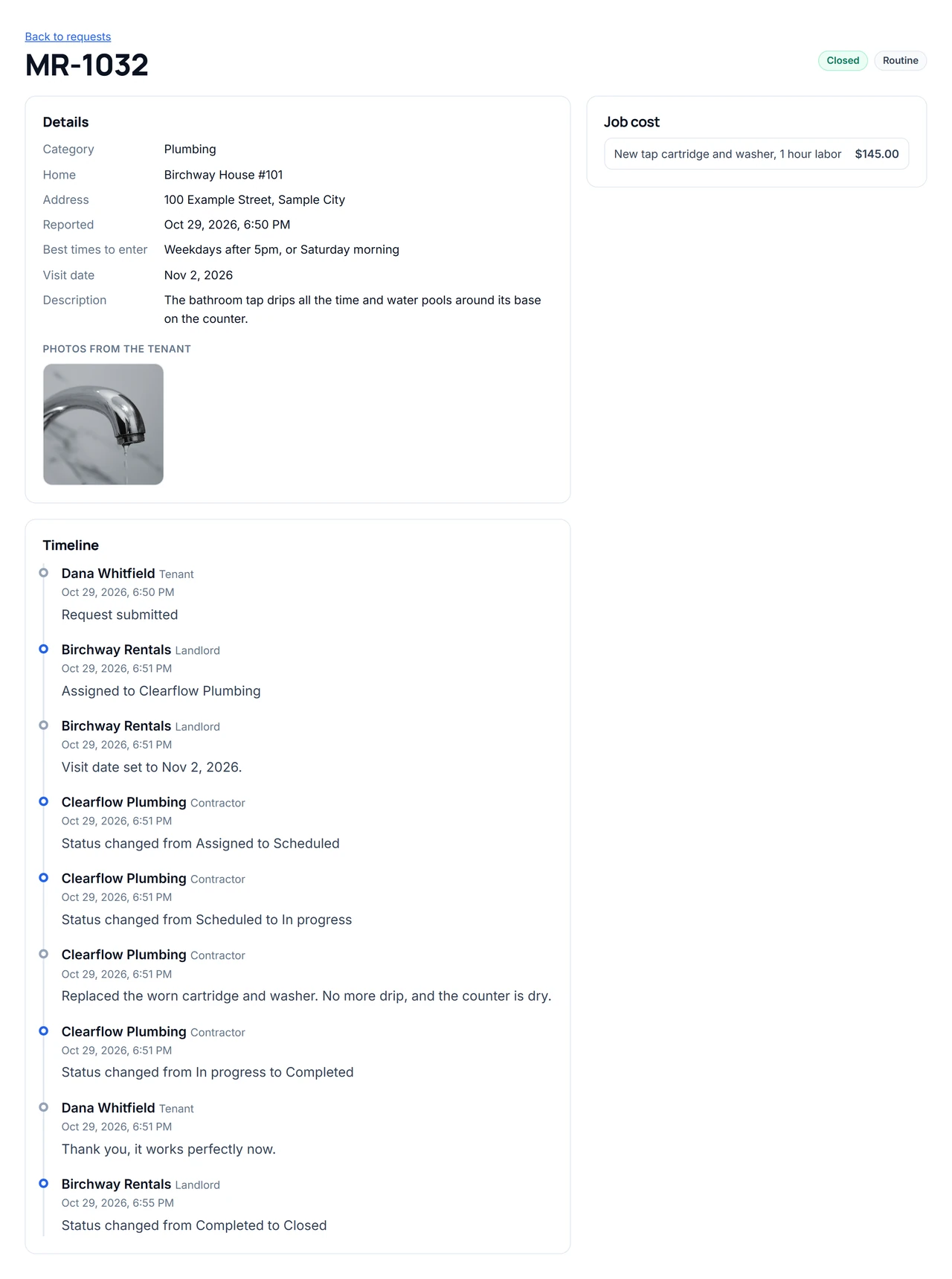
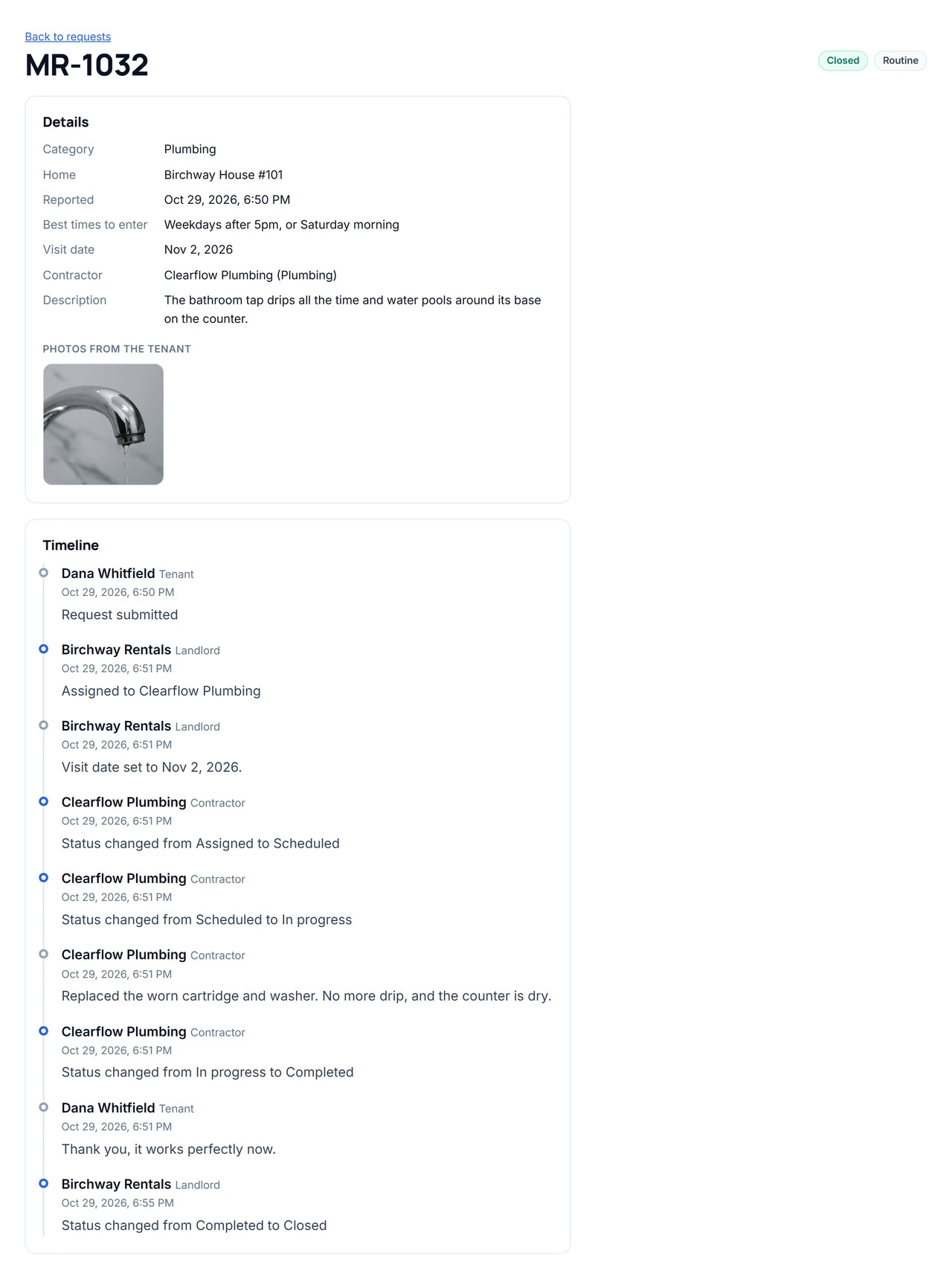
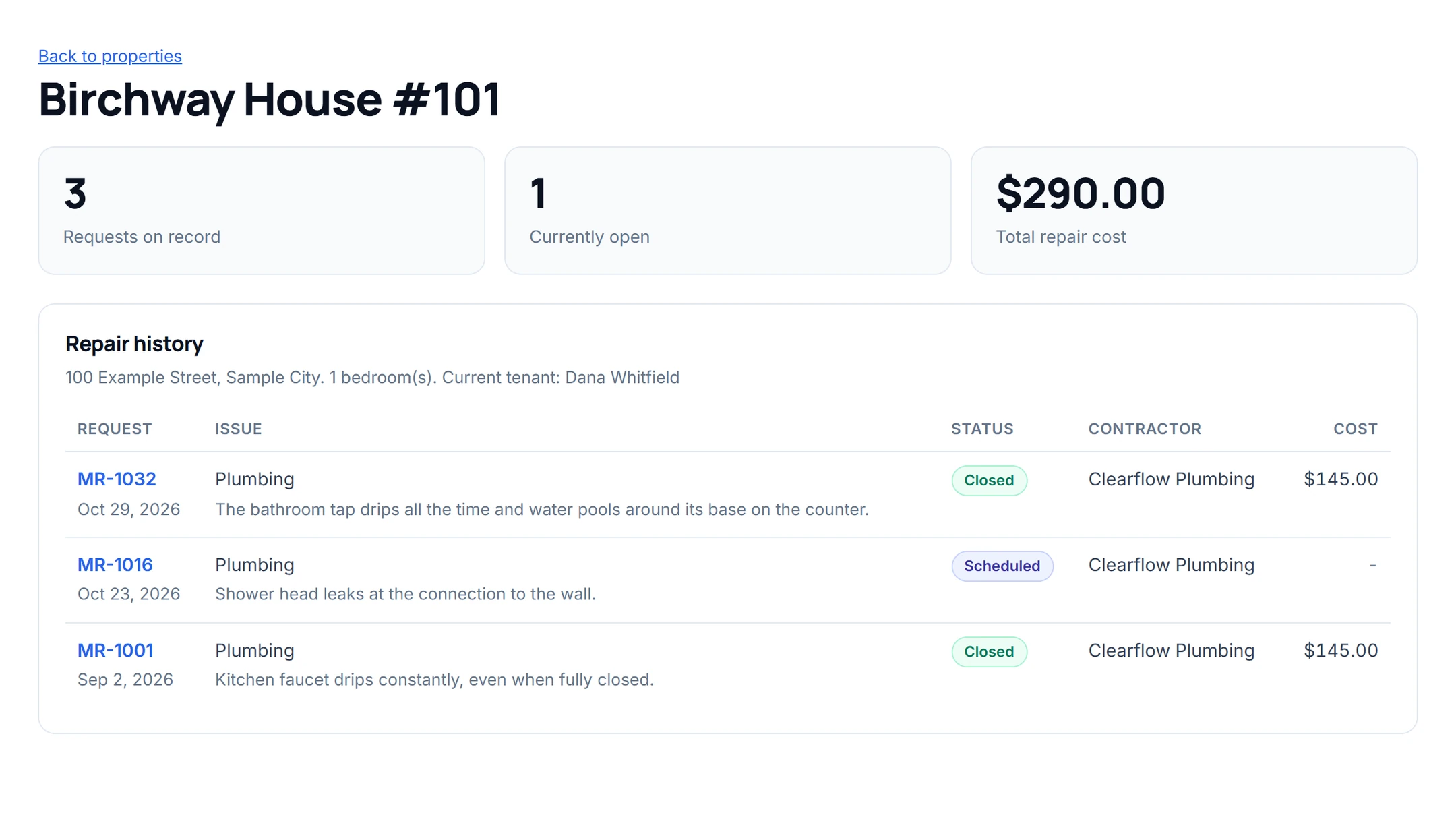
Once the work is done you close the request. Every unit has a repair history: each past request with its contractor and cost, so you can see what keeps breaking and what it has cost you.
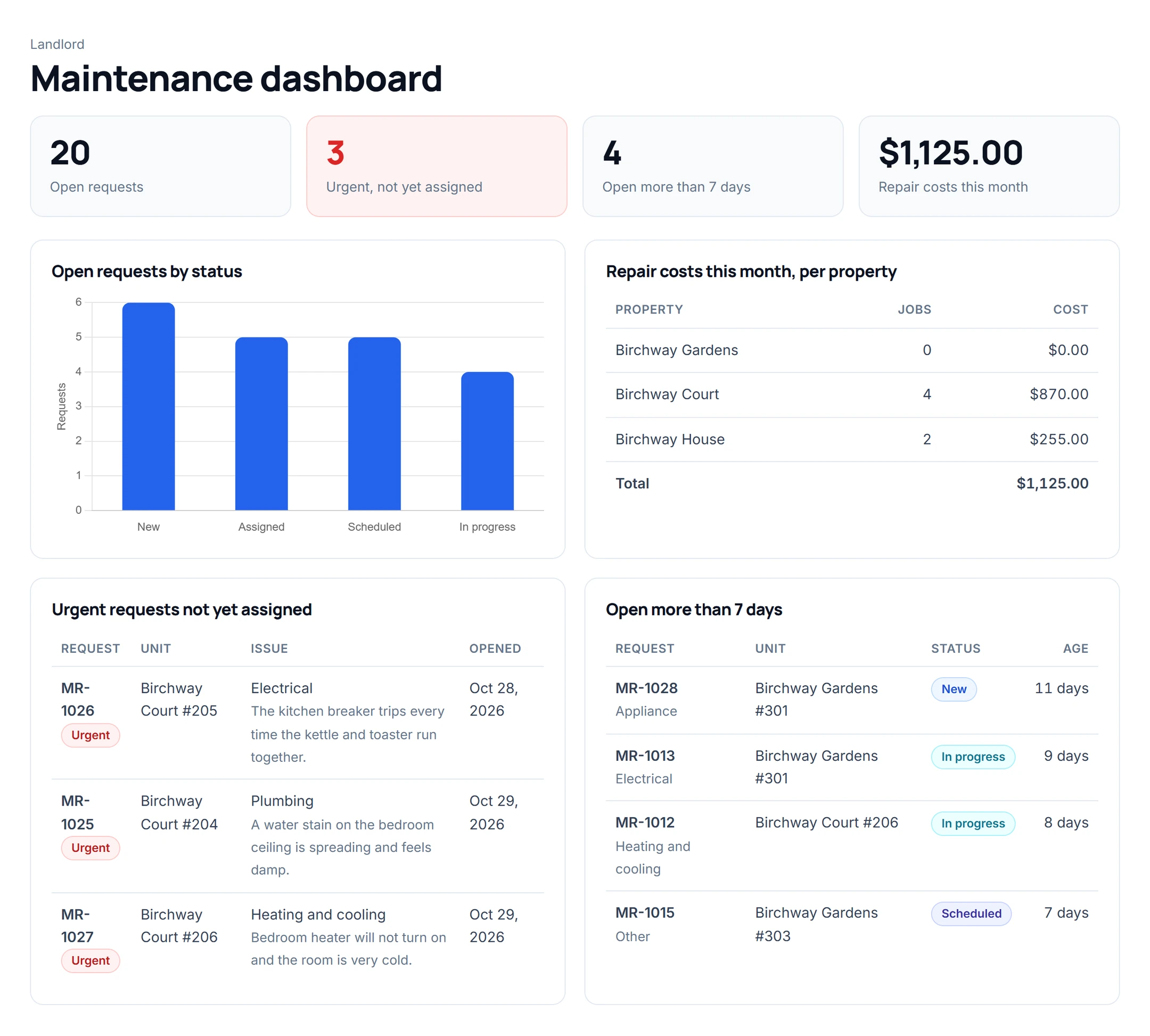
Your dashboard shows open requests by status, urgent requests nobody has been assigned to, requests open more than a week, and this month's repair costs per property.
The app tracks requests. It is not an emergency service, and nobody watches it around the clock unless you do. Keep your emergency number on the request form, as the example does.
Every person signs in with their own account. The rules on what each one may read and change are kept on the server, so hiding a button is never the only protection. We tried each role against the server directly: tenants got only their own requests and no costs, contractors only their own jobs, and a visitor who is not signed in got nothing.
| Role | Sees | Can do |
|---|---|---|
| Landlord | Every property, unit, tenant, contractor, request and cost | Assign contractors, set visit dates, close requests, add notes |
| Tenant | Only their own unit's requests and their timelines, without costs | Report a problem with photos and add comments |
| Contractor | Only the jobs assigned to them, with the address and entry times | Change the status, add notes, photos and the job's cost |
Need something different, such as a property manager per building or a maintenance supervisor? Ask for it in plain words.
Change the names, categories and roles to match how you work, then send it. Kreova asks when something important is missing.
The Birchway prompt
Build a maintenance request app for "Birchway Rentals", a small landlord with 3 apartment buildings and 18 rental units.
The request form shows a clear notice that it is not for emergencies: for fire, a gas smell or flooding call 911 and the building's emergency line.
For the landlord: open requests by status, urgent requests not yet assigned, requests open more than 7 days, and repair costs this month per property.
1 landlord account, 3 properties with 18 units, 15 tenants, 5 contractors and 30 requests at every stage, some with photos.
Kreova asked a few questions first, then built it in six rounds of one to seven minutes each: the first build, four "continue" requests, and one fix for two things we found while testing (a visit date shown a day early and the contractor's name missing on the tenant's side). That used six build credits.
The example app does not collect rent, screen tenants, pay contractors or keep your accounts. Kreova can build some of these if you ask: taking payments needs your own Stripe account. Test anything you plan to rely on before you invite tenants.
Kreova charges for building, not for using the app. Each build uses a build credit, and questions that change nothing are free. Your tenants and contractors do not pay anything to sign in.
$0/ month
Build your app and run it on a free krva.cc address. 5 build credits a month, no card.
$29.99/ month
Your own domain and 20 build credits a month.
$79.99/ month
Everything in Pro with 60 build credits a month, for owners who keep improving the app.
Yes, up to five per request in the example. The photos are stored privately, and only people signed in to your app with access to that request can see them.
Yes. Each contractor sees only the jobs you assign to them, with the address and the tenant's entry times, and updates the status, notes, photos and cost themselves.
No. The app records and tracks repair requests. For fire, gas or flooding, tenants should call 911 and your emergency number, and the form in the example says so.
Yes, once you ask for it. Emails go out from your own connected email account. Texts need your own Telnyx account, paid to Telnyx.
The example does not. Kreova can add online payments when you ask, through your own Stripe account, so the money goes straight to you. Test it before you rely on it.
No. Kreova builds your own app from your description, so it follows your buildings, your categories and your roles. You change it by asking, and every version is saved.
Your maintenance app
Start from this, or write it your own way.