Free
$0/ month
Build your app and run it on a free krva.cc address. 5 build credits a month, no card.
For service businesses
Clients, services, invoices with line items and tax, a PDF of every invoice, an email with the PDF when you mark it sent, payments that keep the balance right, and a receipt when it is paid in full. Describe how you bill, and Kreova builds the app around it.
The example on this page is Larkspur Studio, a made-up design studio that bills its clients in US dollars. Its app was built on Kreova on October 29, 2026 from the prompt further down this page. Every client, invoice and payment in the pictures is sample data.
Billing follows the same path every time: write the invoice, send it, record what comes in, and thank the client when it is paid. Kreova builds that path as one app, and each step uses what the step before it saved.
Pick the client and add lines from your list of services, or type your own. Each line has a quantity, a unit price and its own tax rate, and the subtotal, tax and total are worked out from the lines. The due date follows the client's payment terms.
The PDF is made from what the app has saved at the moment you download or send it: your studio's details from Settings, the client, the lines, the tax, the total, what has been paid and the balance due. Change a line on a draft and the next PDF shows it.
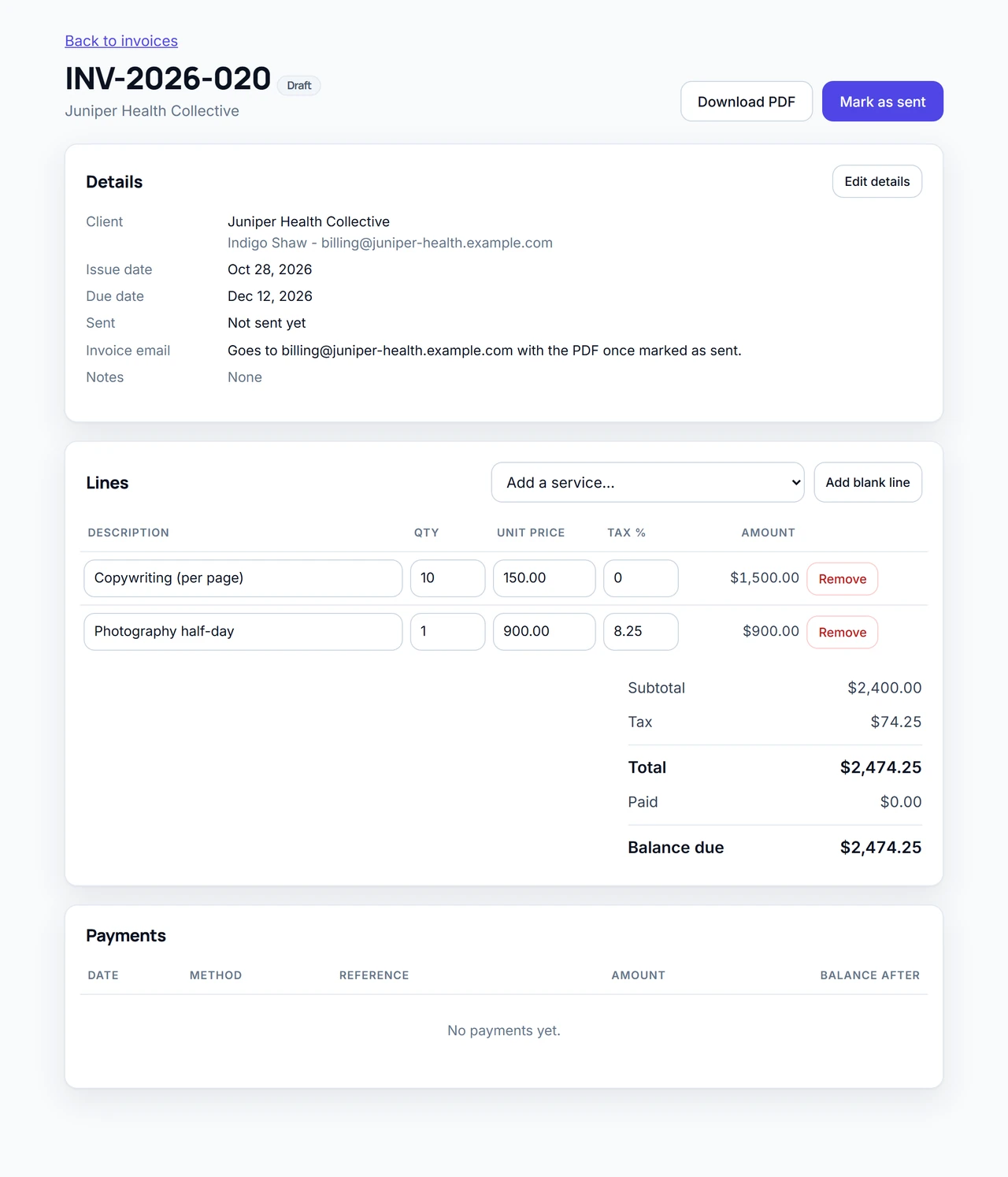
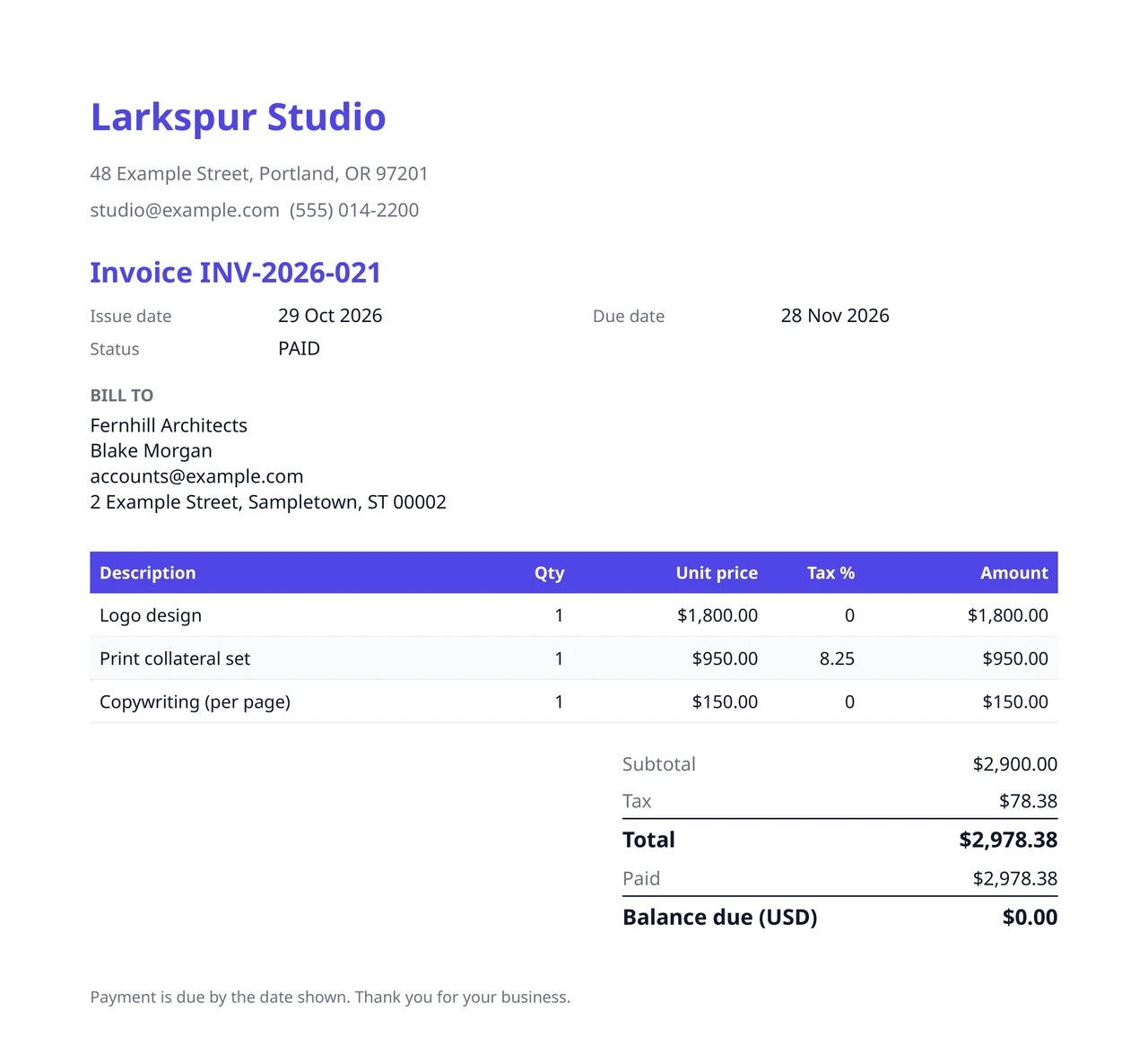
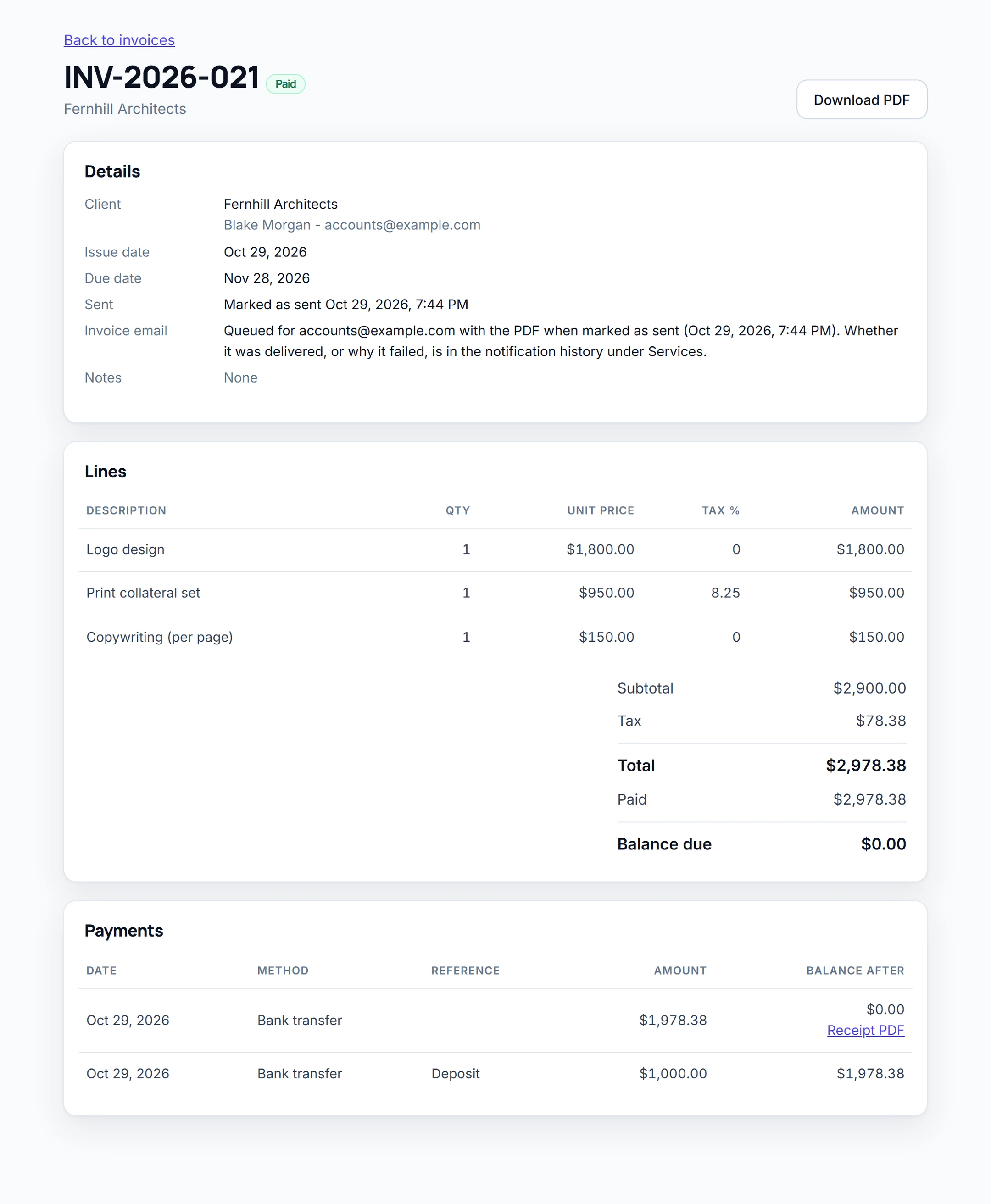
Marking an invoice as sent locks it and sends one email to the client's billing contact, with the invoice PDF attached. Nothing is emailed while it is a draft. This is what our test produced when staff marked invoice INV-2026-021 as sent:
| To | The client's billing contact |
| Subject | Invoice INV-2026-021 from Larkspur Studio |
| Attached | INV-2026-021.pdf |
| Sent | Once, a moment after the status changed to sent |
Record each payment as it arrives, with its date, method and a reference. A part payment changes the status to part paid and leaves the balance owed. The payment that brings the balance to zero marks the invoice paid and sends the client a thank-you email with a receipt PDF. In our test, a $1,000.00 deposit sent nothing, and the final $1,978.38 sent the receipt once.
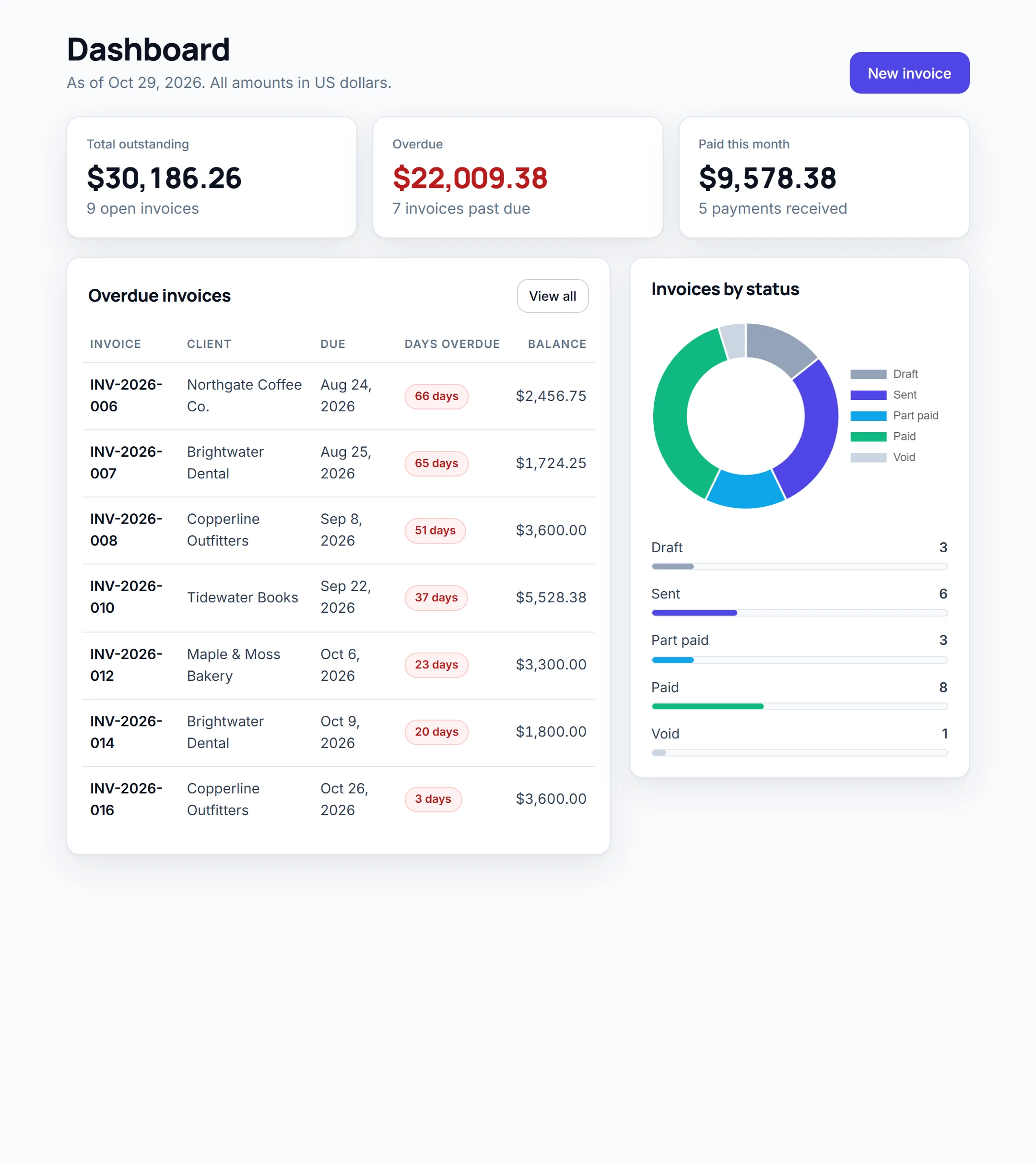
The dashboard shows the total outstanding, every overdue invoice with how many days late it is, what was paid this month, and how many invoices are at each status.
Every person signs in with their own account, and the rules are kept on the server, so hiding a button is never the only protection. As staff we tried to void a sent invoice and to change the studio's settings: the server refused both. A signed-in stranger got no invoices, clients or payments, and could not download a PDF.
| Role | Can do | Cannot do |
|---|---|---|
| Owner | Everything, including the studio's settings and voiding invoices | Nothing is held back |
| Staff | Write and edit drafts, send invoices and record payments | Void invoices or change the settings |
Want your clients to sign in and see their own invoices? Ask for a client portal, and test it the same way.
Change the names, services and steps to match how you bill, then send it. Kreova asks when something important is missing.
The Larkspur prompt
Build an invoicing app for "Larkspur Studio", a small design studio that bills its clients in US dollars.
Total outstanding, overdue invoices with how many days overdue, paid this month, and invoices by status.
The owner account, 1 staff account, 8 clients, 10 services and 20 invoices at every status with payments, some overdue. Use example.com addresses for every client.
Kreova asked a few questions first, then built it in five rounds of one to five minutes each: the first build, a "continue" request, and three requests for the invoice pages, the emails, and the clients, settings and staff pages. That used five build credits.
The app works the numbers out from the tax rates you give it. It does not know your local tax rules, so check the rates and the wording on your invoices with your accountant. The example takes no card payments, sends no overdue reminders and does not connect to accounting software. Kreova can add online payments through your own Stripe account, or a reminder email around the due date, if you ask. Test anything you plan to rely on before you send real invoices.
Kreova charges for building, not for using the app. Each build uses a build credit, and questions that change nothing are free. Sending invoices and recording payments costs nothing extra.
$0/ month
Build your app and run it on a free krva.cc address. 5 build credits a month, no card.
$29.99/ month
Your own domain and 20 build credits a month.
$79.99/ month
Everything in Pro with 60 build credits a month, for owners who keep improving the app.
Yes, once you connect your own email account in Services. Kreova's shared sender only emails people on your own team, so connect yours before you invoice clients.
The notification history shows whether your mail server accepted each email, or why it did not. Like any email, that does not prove the client opened it.
Not in the example. Kreova can add a pay button that takes card payments through your own Stripe account, so the money goes straight to you. Test it before you rely on it.
The example bills in US dollars only. Ask for a currency on each client or invoice: our freight forwarding example keeps invoices in dollars, euros and pounds.
Yes. Ask for your logo, colors, extra fields or different wording, and the next PDF follows. It is made from your records each time, so past invoices show their own lines and amounts.
No. Kreova builds your own app from your description, so it follows your services, your steps and your roles. You change it by asking, and every version is saved.
Your invoice app
Start from this, or write it your own way.