Free
$0/ month
Build your app and run it on a free krva.cc address. 5 build credits a month, no card.
Guide
You do not need to know how software is built to get an app that runs part of your business. You need to know how your business works. This guide turns that into a working app with Kreova, step by step, using a real app as the example.
The example in this guide is IronPeak Check-In, a front desk app for a 24-hour gym with two locations. It was built on Kreova on October 19, 2026 from the prompt in step 3. The members and visits in the pictures are sample data the app made for itself.
Most business apps go wrong in the same way: they try to do everything at once. Start with the one job that costs you the most time or money today, and describe the smallest version that would already help.
Good first jobs for an app:
Then write down what the first version must do, in one or two sentences. For IronPeak it was: the front desk scans a member's phone and sees at once whether they may come in, and the manager sees who comes in and when.
Leave the rest for later. Every change after the first build is a request in plain words, so a smaller first version costs less and is easier to check.
Before you write anything for Kreova, answer three questions on paper.
Everyone who signs in: you, your staff, your customers. Give each group a name, such as manager, front desk and member.
The things your business keeps a list of: customers, jobs, bookings, invoices, products. For each one, note the details you need. An IronPeak member has a name, phone, plan, expiry date and status.
Who may see, add, change or delete each thing. This is where most of the value is: a front desk worker who can check people in but cannot change prices.
Here is IronPeak's map:
| Role | Sees | Can do |
|---|---|---|
| Manager | Everything: the dashboard, every member, every visit | Add, edit, freeze and renew members, and export the visits |
| Front desk | The check-in page and the member search | Check members in and out, but not change plans or prices |
| Member | Their own card and their own visits | Show their QR code at the front desk |
And the records: members, plans (Monthly $49, Annual $499, Student $35 a month, Day Pass $15), staff and visits.
Put steps 1 and 2 into one message, in plain words. A good starter prompt says what the business is, who uses the app, what it keeps track of, what each person can do, what should happen on its own, the sample data you want to see, and the look you like.
This is the prompt IronPeak was built from, lightly shortened:
The IronPeak prompt
Build a gym check-in app for "IronPeak Fitness", a 24-hour gym with 2 locations (Downtown and Westside).
Clean and modern with a bold athletic look, a dark background with an electric green accent, and fast on phones.
Notice what it does not mention: databases, servers or code. It describes the gym. Kreova decides how to build it, and asks when something important is missing.
Paste the prompt into Kreova and send it. Kreova plans the app, creates its database with the access rules for each role, writes the pages, adds the sample data and checks the pages it wrote. You watch it happen in the builder, with a live preview beside the chat.
IronPeak's first version took about 11 minutes of building, in four rounds. This is what it built:
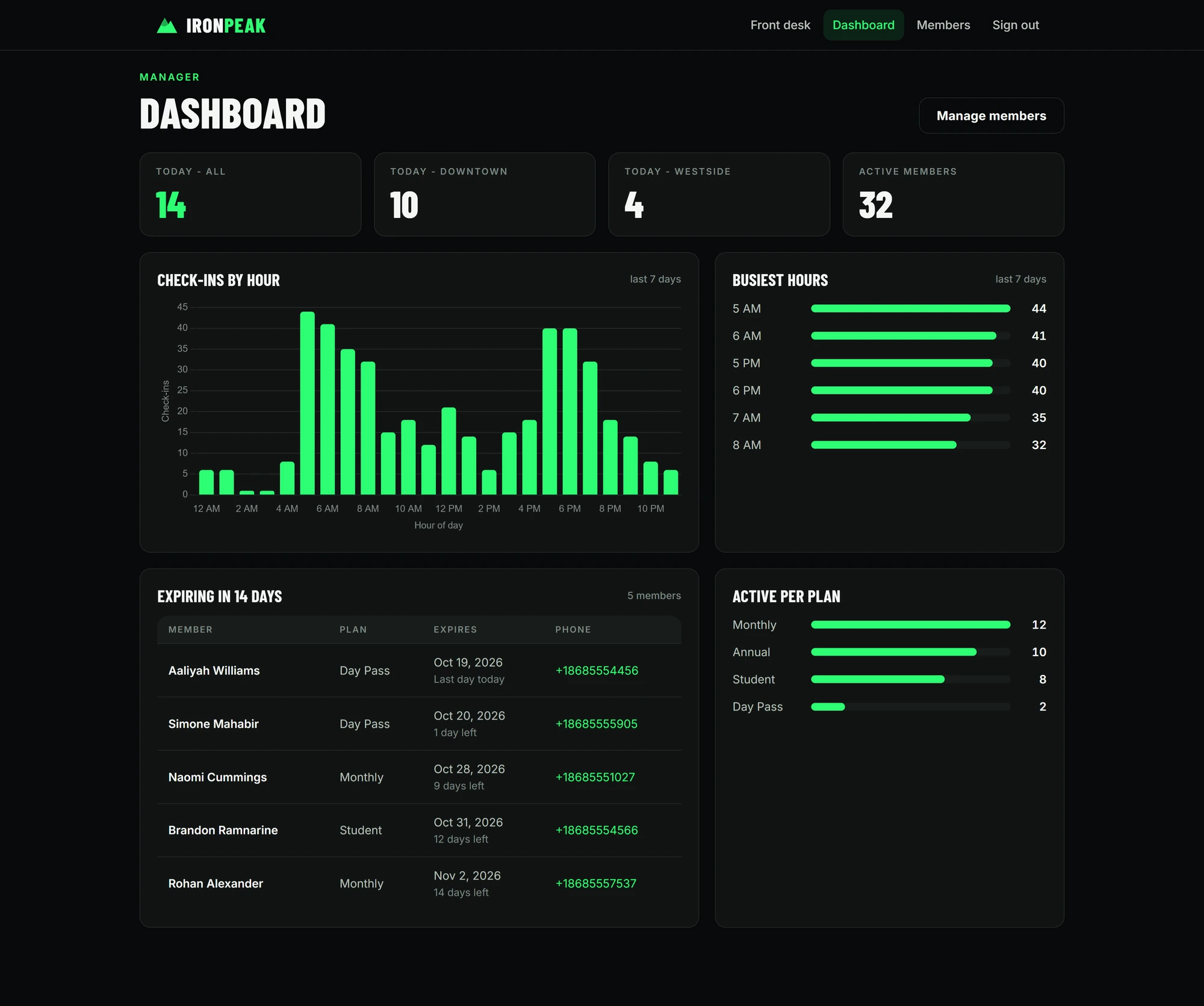
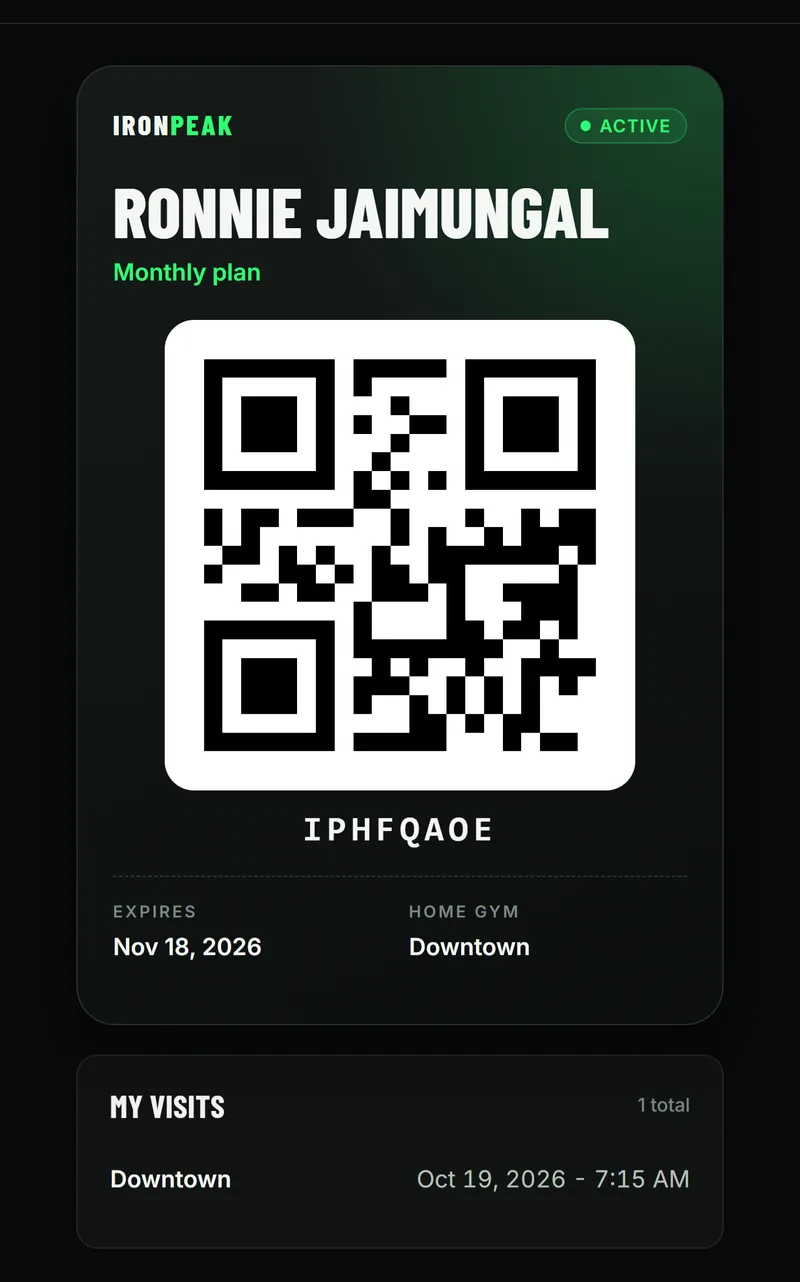
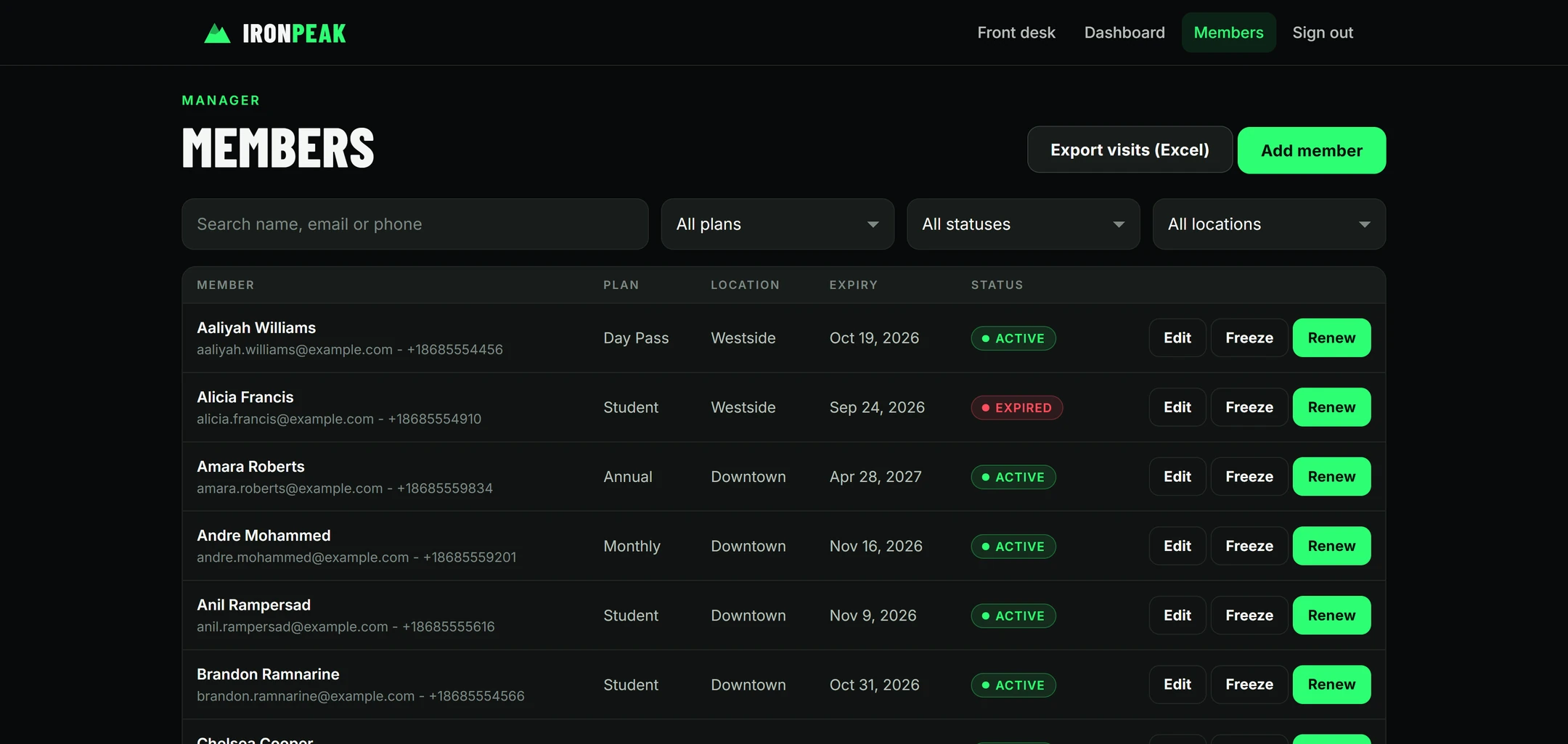
Then the owner used it and asked for changes in plain words, the way you would ask a person. These are the real requests, as they were typed:
When I sign in as this one I see: No membership linkedA question, not a change: Kreova explained that a member's login is linked through an invite from the front desk. Questions cost no build credit.
Can you make a rescan check outScanning a member who is already in the gym now checks them out. Done in about a minute and a half.
When I try to scan again it says already checked inThe 60-minute rule still blocked members who had checked out. Fixed in 29 seconds.
Make IronPeak installable on phones so staff can add it to the home screen and open the front desk scanner from the app icon.Done in 35 seconds.
Each change is saved as a new version, so one you do not like can be undone. When Kreova needs a decision from you, it asks before it builds.
An app that looks right is not finished until you have used it the way your staff and customers will. Before you share the link, check these yourself:
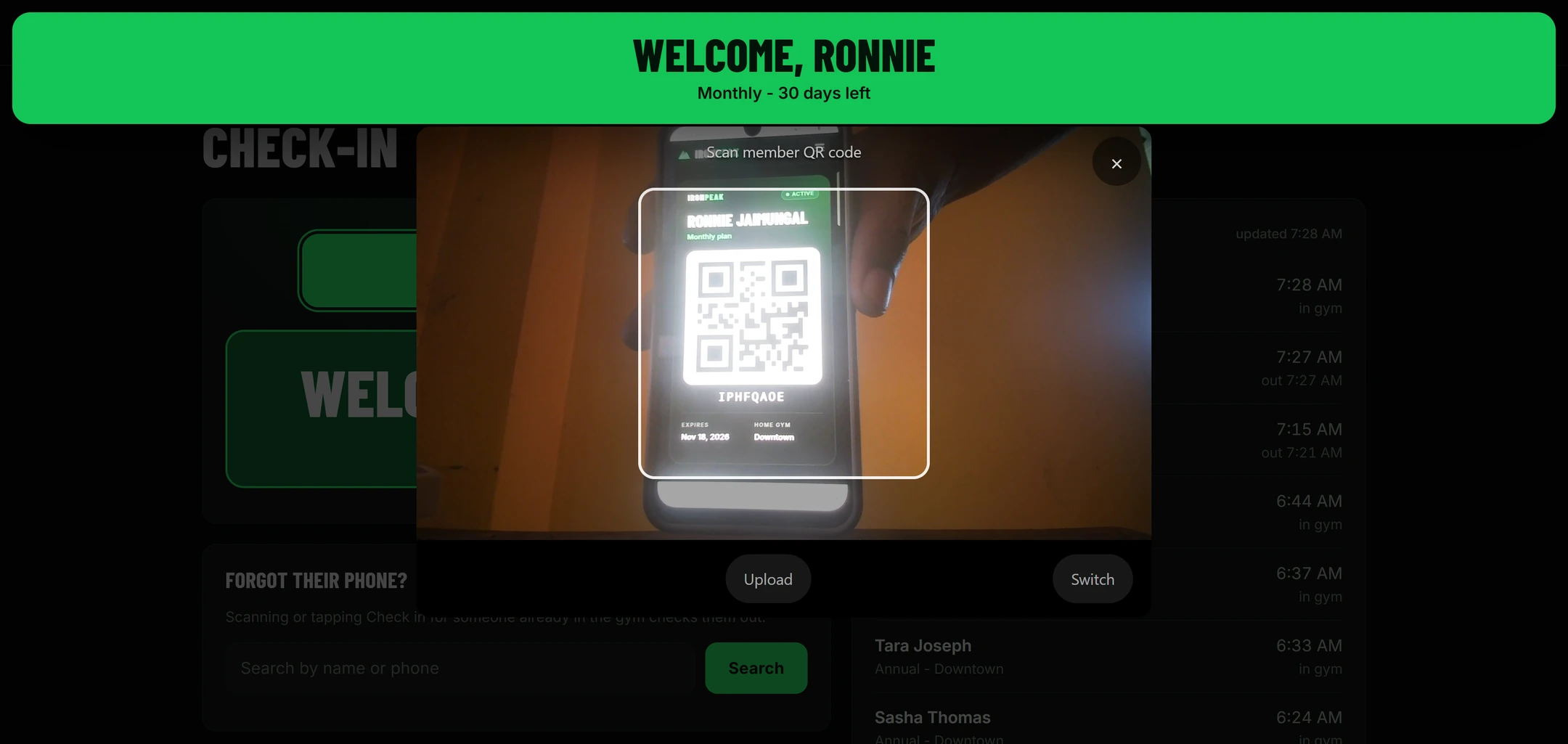
When something is wrong, say what you saw, on which page, and what you expected. "When I try to scan again it says already checked in" was enough for Kreova to find the cause and fix it.
Kreova sets who may read and change each table on the server, not only in the page, so hiding a button is never the only protection. It still pays to sign in as each role and look for yourself.
Your app is live from the first build, at its own web address. IronPeak's is ironpeak-check-in.krva.cc. Share the link with your team. On Pro you can use your own domain instead.
Kreova builds web apps. They open in any browser on a phone, tablet or computer, and they can be installed to a phone's home screen with their own icon, as IronPeak was. They are not App Store or Google Play apps.
Running an app is mostly small changes: a new field, a report, a different message. Ask for each one in plain words. Every version is saved, and the code is yours.
Kreova charges for building, not for using the app. Each build uses a build credit, and questions that change nothing are free. IronPeak's first version and its changes used about 8 credits.
$0/ month
Build your app and run it on a free krva.cc address. 5 build credits a month, no card.
$29.99/ month
Your own domain, phone and texts with your own Telnyx account, and 20 build credits a month.
$79.99/ month
Everything in Pro with 60 build credits a month, for owners who keep improving the app.
Extra credits come in packs when you need more in a month. Your own Stripe, Telnyx and domain costs are separate and paid to them directly.
Kreova builds what you describe. Some things only you can decide:
No. You describe how your business works in plain words, and you ask for changes the same way. The code is yours if you ever want it, but you never have to read it.
Not today. Kreova builds web apps that work on any phone, tablet or computer and can be installed to a phone's home screen with their own icon.
IronPeak's first version took about 11 minutes of building. A simpler app takes less. A bigger one is best built in parts: the core first, then one addition at a time.
Tell it what you saw and what you expected, in plain words. It fixes it as a new version, and the earlier versions are kept.
Yes. Each person signs in with their own account and sees only what their role allows.
Yes. Each app has its own database. You can see and edit the records in the builder's Data tab, and ask for an export, like IronPeak's Excel button.
Your business app
Fill in the brackets, or write it your own way.