Free
$0/ month
Build your app and run it on a free krva.cc address. 5 build credits a month, no card.
For freight forwarders
Quotations, shipments, status updates, documents, invoices and receipts in one app, with a login for each customer to follow their own shipments. Describe how your office works, and Kreova builds the app around it.
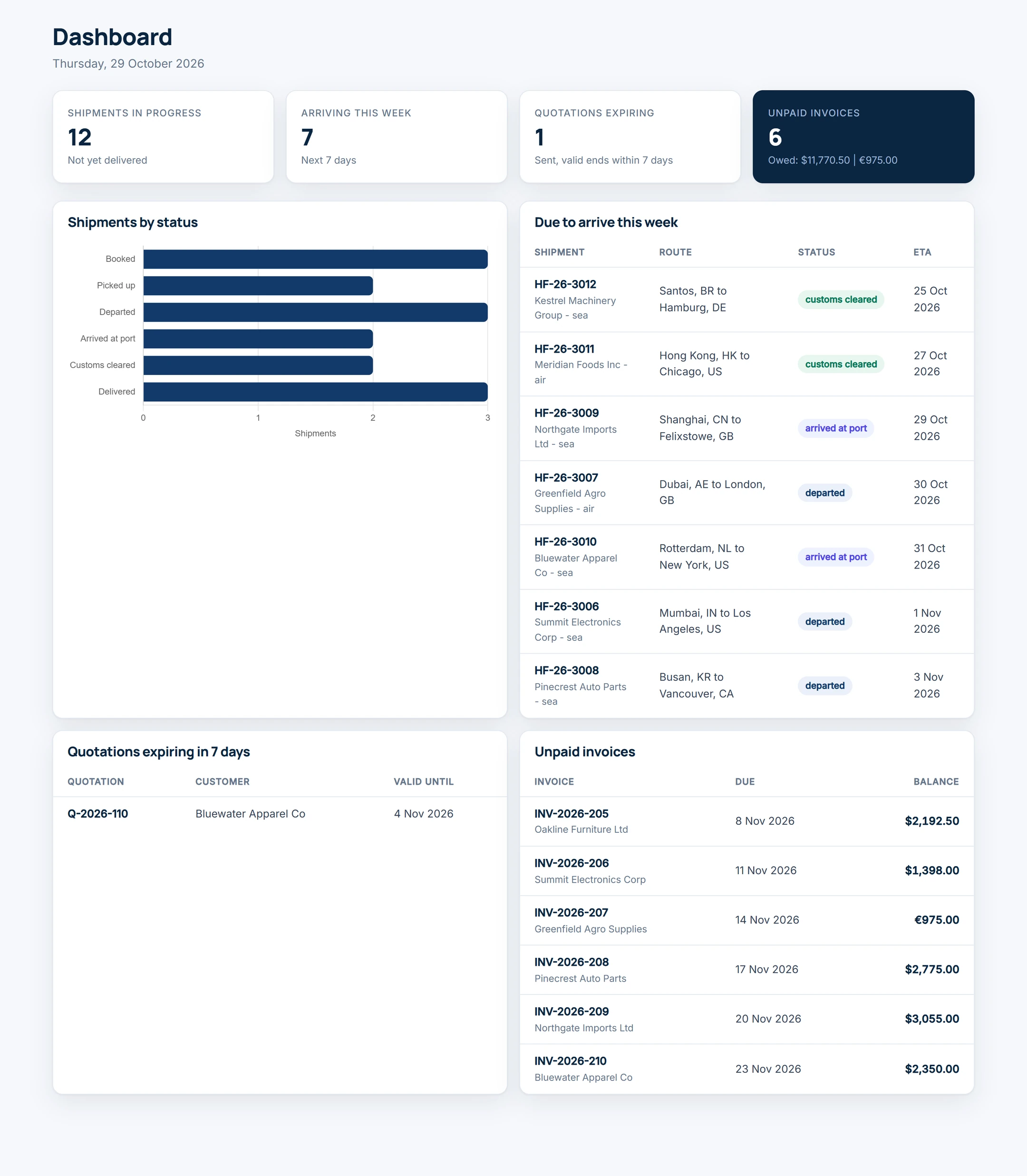
The example on this page is Harbourline Freight, a made-up forwarder that ships by sea and air. Its app was built on Kreova on October 29, 2026 from the prompt further down this page. Every company, shipment, quotation and invoice in the pictures is sample data.
A forwarder's day runs on the same path: quote the job, move the cargo, keep the customer informed, bill it and collect. Kreova builds that path as one app, with each step feeding the next.
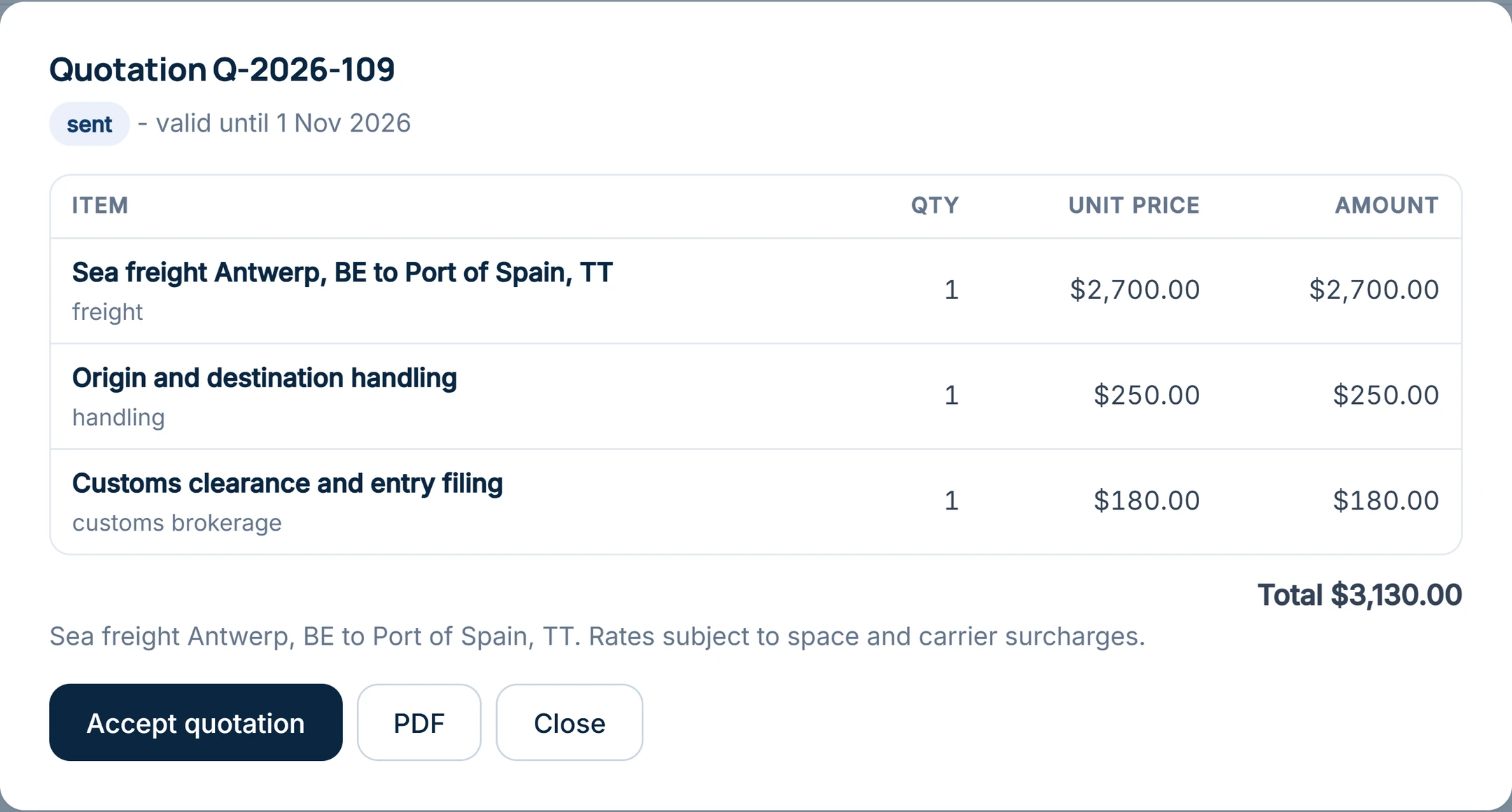
Staff write quotations with line items such as freight, handling, customs brokerage and delivery, in the customer's currency and with a validity date. Each quotation has a PDF. The customer opens it in their portal and accepts it there.
An accepted quotation becomes a shipment with its mode, route, cargo, weight, pieces and container or airway bill number. Your team adds each status step by hand, with its date and a note: booked, picked up, departed, arrived at port, customs cleared, delivered. Bills of lading, commercial invoices and packing lists are attached to the shipment and stored privately.
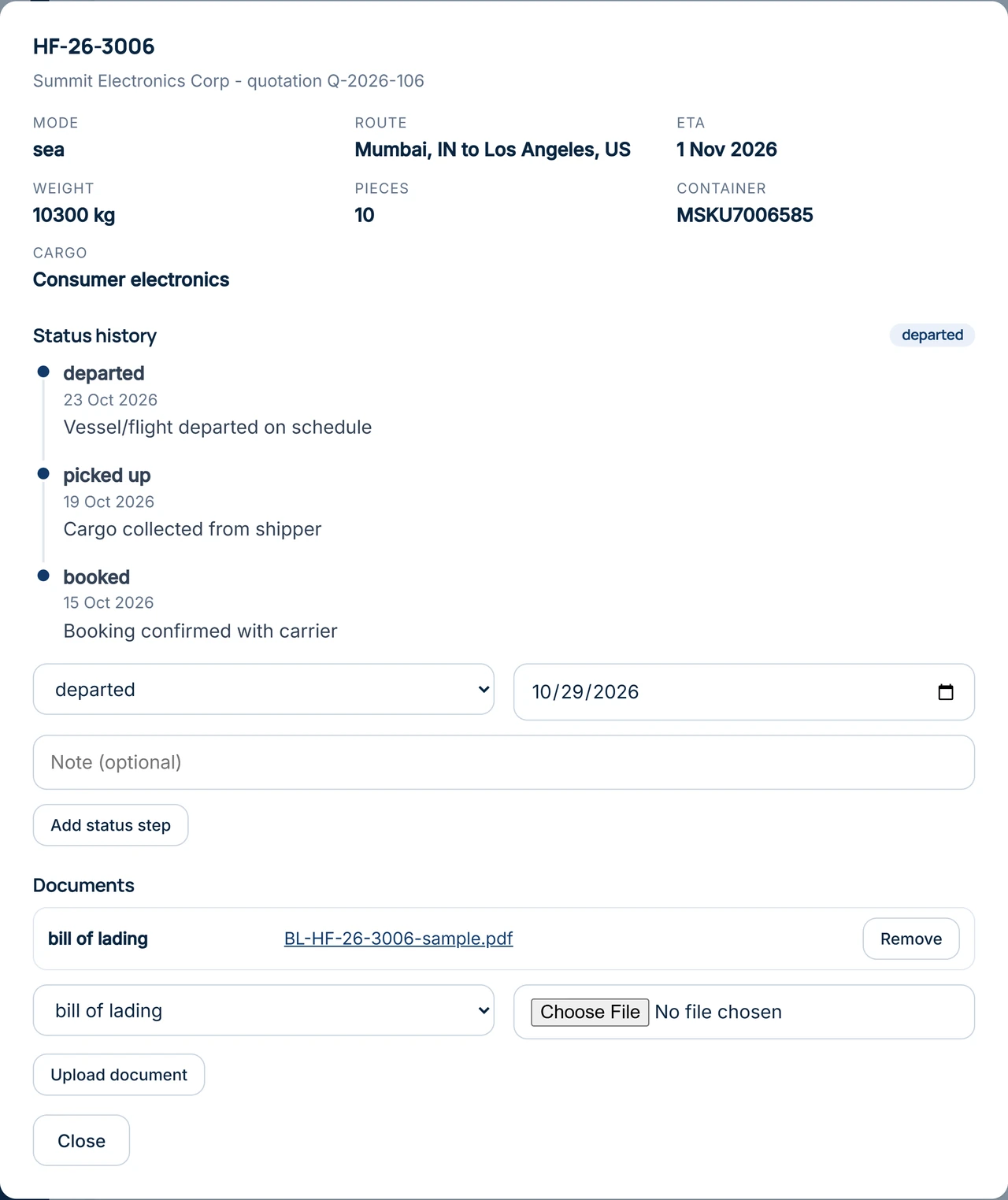
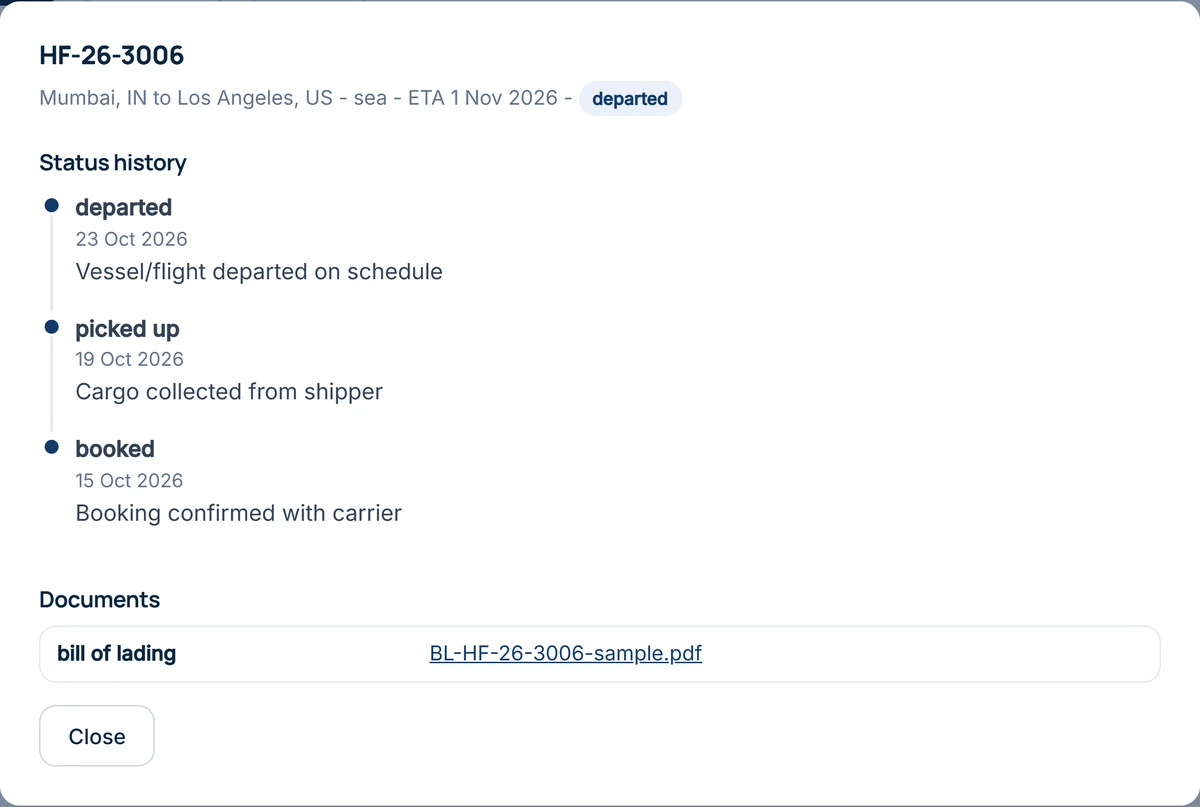
Status updates come from your team. Kreova does not connect to carriers' or airlines' tracking feeds for you, so the app never shows a position it did not get from a person.
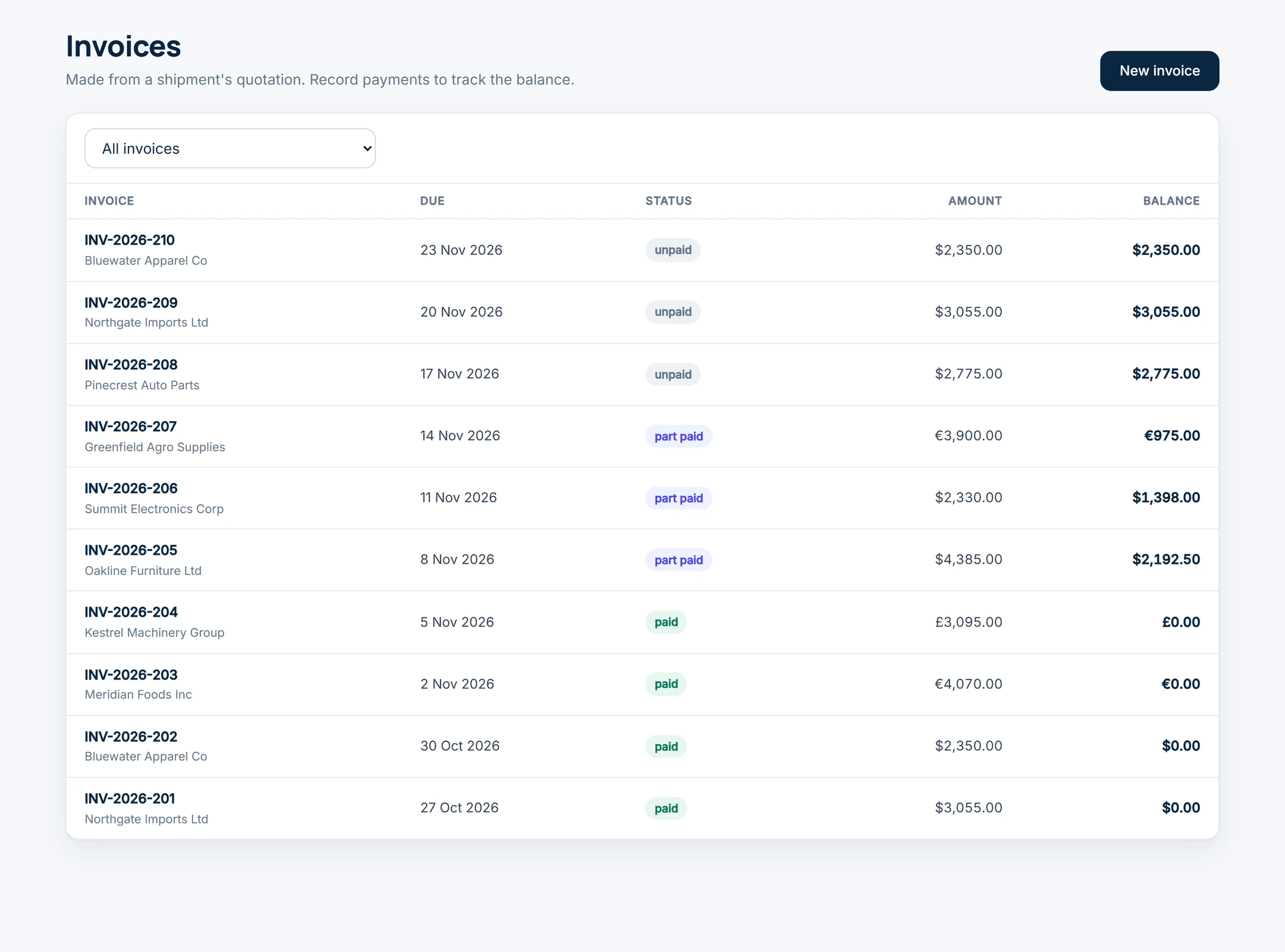
An invoice is made from the shipment's quotation. Staff record each payment as it arrives, full or part, and the balance updates itself. Invoices and receipts have their own PDFs.
The staff dashboard shows shipments by status, what is due to arrive this week, quotations about to expire and every unpaid invoice with the amount owed.
Every person signs in with their own account. The rules on what each one may read and change are kept on the server, so hiding a button is never the only protection.
| Role | Sees | Can do |
|---|---|---|
| Staff | Every customer, quotation, shipment, document and invoice | Quote, add status steps, attach documents, invoice and record payments |
| Customer | Only their own company's shipments, documents, quotations and invoices | Accept a quotation and download their PDFs |
Need finer roles? Ask for them. The forwarder in our case study has admins who do everything, accountants who see everything but change nothing, and shipment staff who can only change a shipment's status.
Change the names, steps and documents to match your office, then send it. Kreova asks when something important is missing.
The Harbourline prompt
Build the back office for "Harbourline Freight", a small freight forwarder that ships by sea and air.
Shipments by status, shipments due to arrive this week, quotations expiring in 7 days, and unpaid invoices with the amount owed.
2 staff accounts, 8 customer companies, 12 quotations, 15 shipments at every stage and 10 invoices, some paid, some part paid and some unpaid.
Kreova built this in five rounds of about three minutes each: the first build, then "continue" requests until the staff pages and the customer portal were done. That used five build credits.
A small freight forwarder and customs broker replaced a hand-coded system with an app built on Kreova from one detailed description. Its app goes further than the example above:
Kreova does not file customs entries, exchange EDI messages, connect to carriers or replace your accounting software. If you need one of these, ask about it before you rely on it, and test what Kreova builds.
Kreova charges for building, not for using the app. Each build uses a build credit, and questions that change nothing are free.
$0/ month
Build your app and run it on a free krva.cc address. 5 build credits a month, no card.
$29.99/ month
Your own domain and 20 build credits a month.
$79.99/ month
Everything in Pro with 60 build credits a month, for owners who keep improving the app.
No. Your team adds each status step, and customers see it in their portal straight away. Kreova does not connect to carriers' tracking feeds for you.
Yes. Each customer company gets its own logins and sees only its own shipments, documents, quotations and invoices.
Yes. In the example, each quotation and invoice carries its own currency, and the dashboard adds up what is owed per currency.
Yes, once you ask for it: for example when a shipment's status changes or an invoice is sent, with the PDF attached. Connect your own email account so they come from your address.
Yes. Ask for an import from your current system's spreadsheet export. The forwarder in our case study imported its customers from a CSV file.
No. Kreova builds your own app from your description, so it follows your steps, your documents and your roles. You change it by asking, and every version is saved.
Your freight app
Start from this, or write it your own way.